

If you’ve ever stood in a fast-food restaurant during lunch rush, staring at a line that feels like it’s moving in slow motion, or waited at a coffee shop while a barista juggles a dozen orders, you’ve probably wondered if there’s a simpler way. For many businesses and customers alike, the answer is the touch screen ordering kiosk — a piece of self-service technology that’s reshaping how we order goods and services every single day. As a supplier of these kiosks, I’ve seen firsthand how they’re not just a passing trend, but a tool that solves real problems for both small cafes and large retail chains. Let’s break down what exactly a touch screen ordering kiosk is, how it works, why it matters, and how it fits into the broader world of self-service technology.
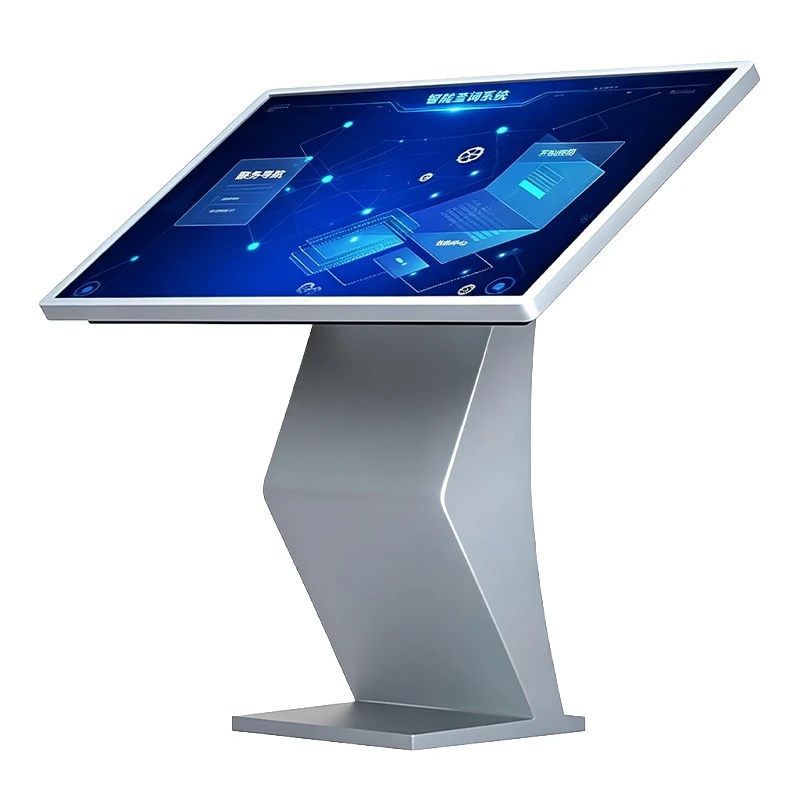
At its core, a touch screen ordering kiosk is a free-standing, interactive terminal that lets customers place and pay for orders without assistance from a staff member. Unlike old-fashioned self-service machines that required complicated buttons or a lot of technical know-how, these kiosks use intuitive, touch-based interfaces that work for people of all ages and tech skills. Think of it like a giant, user-friendly smartphone screen, built into a durable, floor-standing unit that can handle high traffic and regular use in busy public spaces.
But to fully understand a touch screen ordering kiosk, it helps to look at it as part of a larger ecosystem of self-service tools. If you’ve ever looked up a store’s hours, found a product location, or accessed other information on a standalone terminal, that’s a self-service information kiosk — a related tool that focuses on providing data rather than processing transactions. That’s not to say ordering kiosks can’t have information features too; many of our units include menu details, nutritional facts, and even allergy information right on the screen, combining the best of both worlds. For businesses that need more than just ordering, an interactive self service kiosk can be customized to include multiple functions, from placing orders to checking in for appointments, all on one device. What makes an ordering kiosk unique, though, is its ability to finalize a purchase, which is where payment technology comes in.
A touch screen ordering kiosk isn’t complete without a reliable payment system, and that’s where touch screen payment kiosk technology comes into play. These units are equipped to accept a wide range of payment methods: credit and debit cards, mobile wallets like Apple Pay and Google Pay, even contactless cards. Some of our kiosks also have the option to integrate with loyalty programs, so customers can earn points or redeem rewards right when they order — a feature that not only makes the customer experience smoother, but also helps businesses build better relationships with their regulars. The ability to process payments securely is non-negotiable, which is why we build our kiosks with the latest encryption and security standards to protect both customer data and business revenue.
You might be wondering how a touch screen ordering kiosk is different from other types of self-service ordering tools. The term is sometimes used interchangeably with self service ordering machine, but there are subtle differences that matter for businesses. While a “machine” might refer to a standalone unit that only handles ordering, a kiosk can be part of a larger network that connects to a business’s point-of-sale (POS) system, kitchen display screens, and inventory management tools. That means when a customer orders a burger and fries on a kiosk, the order is automatically sent straight to the kitchen staff, so they can start prepping it right away — no handwritten tickets, no lost orders, no mistakes. For restaurants, that seamless integration is a game-changer for speed and accuracy.
Let’s take a step back and talk about how these kiosks actually work, because it’s not just about touching a screen. When a customer approaches a touch screen ordering kiosk, the first thing they see is a simple, easy-to-navigate menu. The interface is designed with large, clear buttons, high-contrast text, and images of menu items, so there’s no confusion about what’s being offered. Customers can customize their orders — extra pickles, no onions, a large soda instead of a small — by tapping on the screen, and the kiosk will update the order total in real time. Once the order is finalized, the customer pays using the integrated payment system, and the kiosk prints a receipt or sends a digital receipt to their phone, along with an order number. That number is then displayed on a screen in the restaurant or sent to a staff member’s device, so the customer knows exactly when their order will be ready.
From a business perspective, the benefits of touch screen ordering kiosks are hard to ignore. First and foremost, they reduce wait times. During peak hours, a single kiosk can handle orders from multiple customers at once, which means shorter lines and happier customers. We’ve worked with a regional pizza chain that saw a 30% reduction in wait times after installing our kiosks, and a 20% increase in average order value, because customers are more likely to add side dishes or drinks when browsing the menu at their own pace, without feeling rushed by a line behind them. They also reduce human error — how many times have you ordered a “medium” coffee and gotten a small, or asked for no cheese and gotten a sandwich loaded with it? Kiosks eliminate those mistakes, because the customer is directly inputting their order details, not a staff member trying to juggle multiple orders.
Another big benefit is cost savings. While there’s an upfront investment in buying and installing kiosks, over time they reduce the need for extra staff during peak hours. For small businesses, that can mean the difference between staying profitable and struggling to cover labor costs. Even for larger chains, kiosks free up staff to focus on more complex tasks, like helping customers find products, handling special requests, or providing in-person support, rather than just taking orders. That shift in staff roles can actually improve the overall customer experience, because it means employees are available to help when someone does need assistance, instead of being buried under a pile of orders.
But a touch screen ordering kiosk isn’t one-size-fits-all. When we work with a client, the first thing we do is understand their specific needs. A fast-food restaurant needs a kiosk that can handle high volumes quickly, with a simple menu that’s easy to navigate. A clothing retail store might use a kiosk to let customers order items that aren’t in stock at the location, or print out a return label. A coffee shop might want a kiosk that integrates with its existing loyalty program, so regulars don’t have to fumble with cards or remember to tell the barista their loyalty number. That’s why customization is key — and it’s one of the reasons we’ve built our platform to be flexible, so kiosks can be tailored to fit the unique needs of each business.
Of course, like any technology, touch screen ordering kiosks aren’t perfect, and it’s important to acknowledge their limitations. Some customers, especially older adults, might be more comfortable ordering from a person, and that’s why we always recommend that businesses keep staff on hand to assist with kiosks, or offer the option to order in person. There’s also the issue of maintenance — kiosks need to be cleaned regularly, especially in busy environments, to keep the screens working properly and prevent the spread of germs. We provide ongoing support to our clients, including regular maintenance checks and software updates, to make sure their kiosks are always working at their best.
As a supplier of touch screen ordering kiosks, I’ve talked to hundreds of business owners over the years, and one thing is clear: the best kiosk isn’t just the most high-tech one. It’s the one that solves a specific problem for the business and its customers. For a busy airport restaurant, speed and durability are top priorities. For a small independent bookstore, the kiosk might need to focus on pre-ordering books or scheduling events. For a grocery store, a self service payment machine integrated with an ordering kiosk can let customers order groceries to be picked up later, combining two essential functions into one easy-to-use device. That versatility is what makes these kiosks so valuable across so many different industries.

Looking ahead, the future of touch screen ordering kiosks is even more exciting. We’re already working on integrating AI-powered features that can suggest items based on a customer’s past orders, or offer personalized discounts. Some of our clients are testing kiosks that can work with virtual reality, letting customers “try on” clothing or visualize a menu item before ordering. Even as technology evolves, though, the core purpose remains the same: to make the ordering process simpler, faster, and more enjoyable for everyone involved.
If you’re a business owner considering adding self-service technology to your space, it’s worth taking the time to understand what a touch screen ordering kiosk can do for you. It’s not just a way to cut costs or reduce wait times — it’s a tool that can improve customer satisfaction, streamline operations, and help your business grow. Whether you’re a small café looking to handle more morning rush orders, or a large retail chain wanting to offer a seamless ordering experience across multiple locations, there’s a kiosk solution that’s right for you.
If you’re ready to explore how a touch screen ordering kiosk could work for your business, we’d love to talk. Our team has years of experience designing, installing, and supporting self-service solutions for businesses of all sizes, and we can help you find the right kiosk that fits your needs, budget, and goals. Don’t let your business fall behind in an increasingly fast-paced world — take the next step to make ordering easier for your customers and more efficient for your team.
References:
- Self Service Industry Report 2024, Global Self-Service Technology Association
- User Experience in Self-Service Kiosks, Journal of Interactive Marketing, Vol. 62, 2023
- Restaurant Efficiency: The Impact of Touch Screen Ordering Kiosks, National Restaurant Association, 2023